What do the different OneDrive icons mean?
When running properly, the OneDrive icon in the system tray on Windows should be a solid blue cloud. On Mac it is a solid white/grey cloud.
When the icon has circular arrows sat next to it, it means it is processing changes to your OneDrive - this will happen if you've placed new files in your OneDrive folder for example, this will change back to the solid icon when finished.
When the icon has a red cross sat next to it, it means there is an issue and you should click the icon to see what it is reporting.
A greyed out icon means that your OneDrive account is either signed out or there is no account set up up yet.
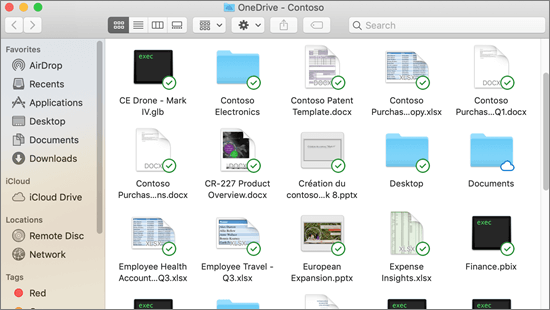
N.B. You can also see individual file/folder statuses by going into your OneDrive folder. A green circle with a green tick means a file is downloaded locally onto your PC and a cloud icon means it's stored only in the cloud (you can still access files stored only in the cloud they will just download when you try to access them)